Part 1: What Is a True MP4 Movie Download?
When I say "true MP4 download", it means a standard MP4 file that you can keep, manage, move across devices, and play offline without relying on a specific platform or authorized devices. The MP4 movie download sites covered in Part 2 work this way.
By contrast, downloads from most streaming apps, such as Netflix, Amazon Prime, and Apple TV, are totally different. Even though these downloads are available for offline viewing, they are usually stored in a restricted format (something like encrypted or protected) inside the app, so you cannot freely transfer or play them on other devices. The legal streaming alternatives mentioned in Part 3 fall into this category.
True MP4 vs Offline Viewing
| Feature |
True MP4 File |
Streaming App Offline Download |
| Standard playable video file |
Yes |
Usually no |
| Play outside the original app |
Yes |
Usually no |
| Copy to USB / external drive |
Yes |
Usually no |
| Transfer to another device |
Yes |
Restricted |
| Requires original app |
No |
Yes |
| May expire |
Usually no |
Often yes |
| Typical examples |
Internet Archive |
Netflix / YouTube Movies / Hoopla |
Part 2: Best Public-Domain Sites for True MP4 Movie Downloads
Although public domain movie sites do not offer the most mainstream titles you will find on major streaming platforms, they are sometimes a free and legal option for MP4 movie downloads, especially for those who like classic films, vintage cinema, and historical titles.
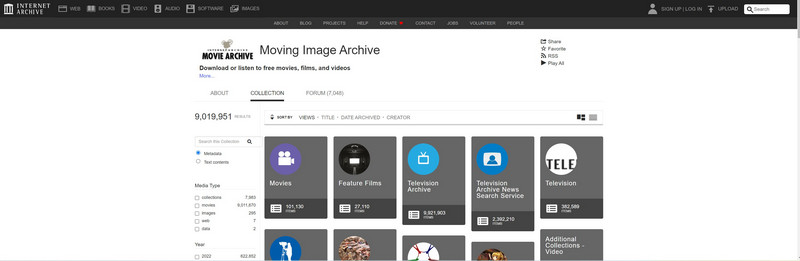
Internet Archive is a non-profit digital library where you can browse and download public-domain, Creative Commons, and other uploaded movies and other materials. You can search for movies like an archive, with metadata search, advanced filters, collection-level browsing, and even license-based lookup. However, not all movies in the Internet Archive are licensed, so check the Rights & Access or license information of the item you're going to download.
What's more, according to U.S. copyright law, many U.S. works first published in 1930 have entered the public domain on January 1st, 2026. That means you can download some famous movies to MP4 for free.
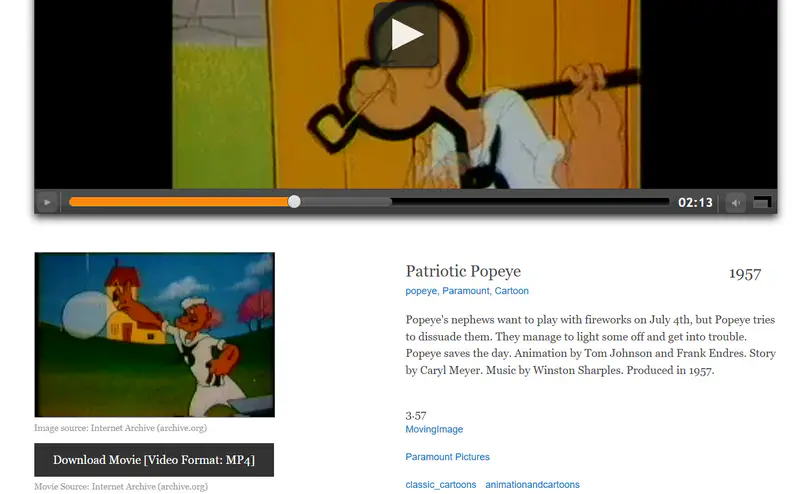
Once you find a movie you want to download, just scroll down to the details section, then look for Download Options on the right side and choose your preferred format, usually in H.264 MP4, to start the download.
Pros:
✔️ Advanced search engine.
✔️ No registration or login required.
✔️ Online streaming and direct MP4 downloads.
Cons:
❌ Deep searching makes it a bit more difficult to find movies than on other sites.
❌ Not all movies are available for download as MP4.
Public Domain Movies is much easier to browse when you just want to find something quickly. It presents classic public-domain films in a simpler, more user-friendly library, with genre-based browsing, clear copyright information, and direct MP4 downloads for many titles.
Pros:
✔️ No registration or login required.
✔️ Much easier to browse and find a movie to download.
Cons:
❌ No search.
❌ The library is limited to public-domain and older films.
Tips: How to Tell If a Movie Download Is a True MP4 File
There are three quick ways to help you tell if a movie download is a true MP4 file.
Check the file extension
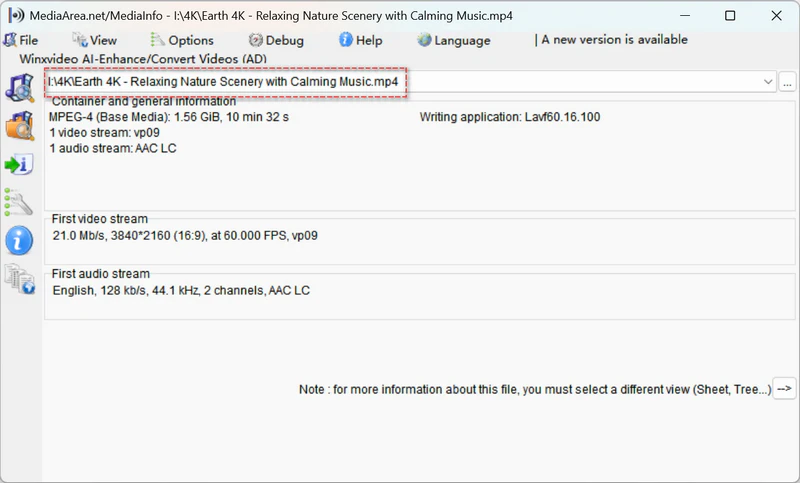
In Windows Explorer or Finder on your Mac, find your movie downloads and check its file type to see if it's defined as MP4 - MPEG-4 video files. You can also right-click to open it with MediaInfo or through Properties to check if this file ends with .mp4.
Although a standard MP4 download usually ends in .mp4, the extension alone does not guarantee that the file is unrestricted or playable on any device or media player.
Open it outside the original app
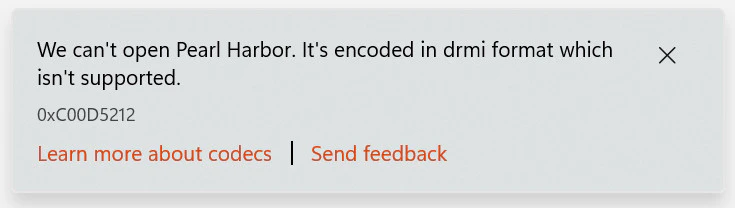
The true MP4 file can be played in media players. For example, I opened an M4V file that I downloaded from iTunes several years ago in Windows Media Player, and it said it's encoded in dimi format which itsn't supported. I also tried in VLC and PotPlayer, and both of them turned out to be black screens.
Check whether it can be copied and played elsewhere
A true MP4 movie can be copied and transferred to other devices for playback, while downloads from streaming apps usually cannot. You may either be unable to find a copyable video file, or the transferred file may not play outside the original app.
Part 3: Legal Alternatives for Offline Viewing (Not Real MP4 Files)
In practice, you may find that public domain movie sites are great as a complement to your movie library rather than as a primary source for the latest or most popular titles. If you want mainstream movies and newer releases, legal streaming platforms are still the best way to go.
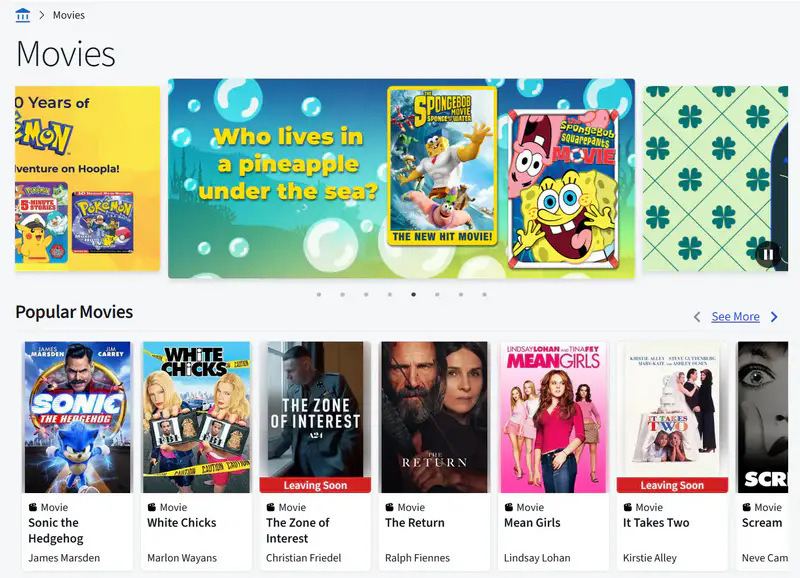
hoopla Digital is a free and legal option for movie downloads with a valid library card. Through participating libraries, users can borrow movies at no extra cost and download select titles to supported mobile devices for offline viewing.
Pros:
✔️ Free online streaming with a participating library card.
✔️ You can watch the popular titles and latest releases.
Cons:
❌ Not all libraries have the access.
❌ Not ideal for users who want permanent or unrestricted MP4 movie downloads.
❌ The registration region must be in the US.
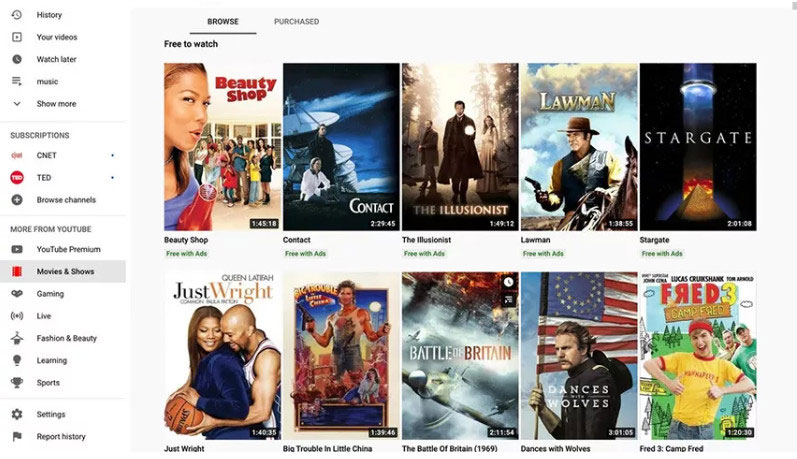
Unlike subscription-based streaming services such as Netflix, Disney+, and Amazon Prime, YouTube Movies & TV is a more flexible platform for renting and purchasing individual titles on demand. Once you rent or purchase a movie, you can download it for offline viewing in the YouTube app on iOS or Android devices.
Tips: If you want to know how to download YouTube movies to MP4, go to this part.
Pros:
✔️ No monthly subscription required. Buy or rent individual movies you need.
✔️ Download eligible titles in YouTube app on iOS or Android.
✔️ Free-with-ads titles are available to watch at no cost.
Cons:
❌ The rented or purchased content is time-limited, not valid permanently.
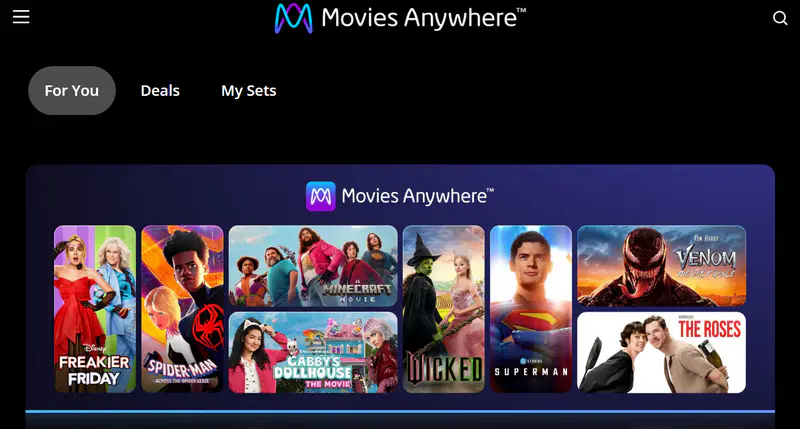
Subscription-based streaming services do not offer real MP4 downloads like the way that traditional movie download sites do. If you want a legal and convenient movie download experience and a more flexible way to build a downloaded movie library, Movies Anywhere is a smart choice I have seen. It brings together eligible movies you have purchased or redeemed through connected retailers like Apple TV, Amazon Prime Video, Fandango at Home, and YouTube Movie, into a single library, and lets you download supported titles for offline viewing within the app.
Pros:
✔️ Sync movies purchased from other services into one library.
✔️ Good for movie ownership and library management.
Cons:
❌ Not all movies are supported, as the service mainly covers titles from Sony, Universal, Disney, and Warner Bros.
Extended Reading: Best Tools to Help You Get True MP4 Movie Downloads
Because true MP4 movie download sites are quite limited, and most streaming services do not offer downloads in that format, I would like to share with you some useful tools that help you get true MP4 movie downloads from more sites to build your personal library.
Warm Tips
These tools are best seen as a supplement for personal use, not as a public distribution method. Most importantly, you can only download royalty-free content or content you own or get permitted.
4.1 Any Video Converter
If you want to save your favorite movies from YouTube, Dailymotion, Vimeo, and other popular sharing sites, Any Video Converter is a free yet powerful choice. You can add the video URLs directly or use the built-in web browser to download videos in 8K, 4K, and 1080p with HDR, 10-bit color, with multiple subtitles and audio tracks (including 5.1 surround audio) preserved.
For free users: The 'Best Quality' mode lets you download videos from YouTube and 1,000+ supported sites at the highest available quality, with no limits on resolution or the number of downloads.
For premium users: The 'Custom' mode gives you more control over the output. You can download videos as MP4 or MKV, or extract audio to MP3, WAV, or FLAC, with more advanced settings and presets available.
Tutorial: How to Download Movies from YouTube to MP4
Step 1: Open the Built-in Web Browser and Sign in to Your Account
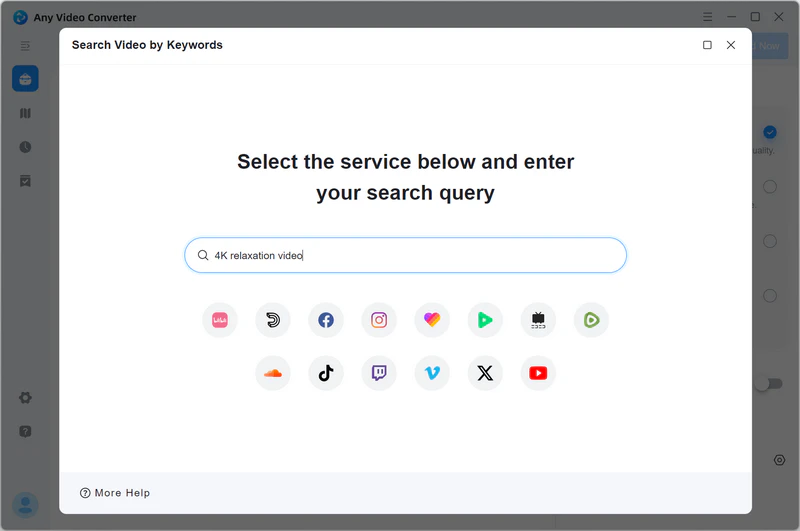
Launch Any Video Converter and select the Video Download tool.
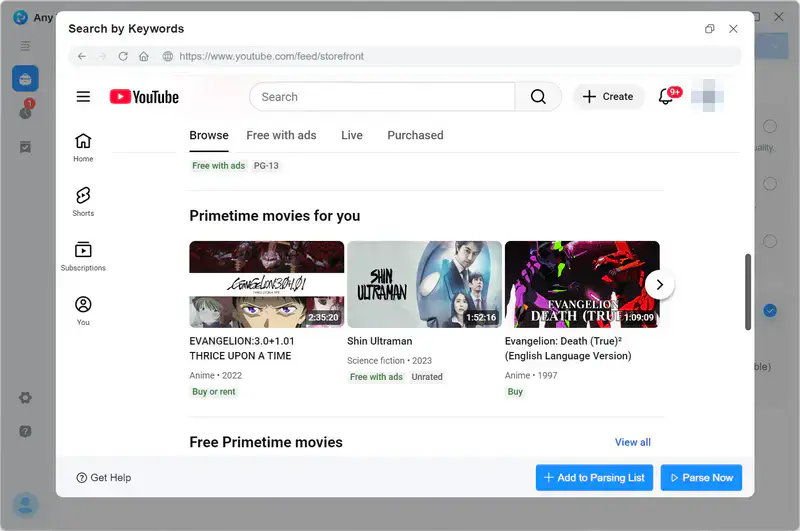
Then open the built-in web browser of YouTube, and sign in to your account.
Step 2: Add Movies to the Parsing List
Browse for a movie you want to download and open it, then click + Add to Parsing List. Repeat this step if you want to add more movies.
Notes: Only download videos that you own, have permission to save, or that are royalty-free for download.
Once you are ready, click Parse Now to open the parsing list. The tool will start parsing the added movies automatically.
Step 3: Choose a Download Mode
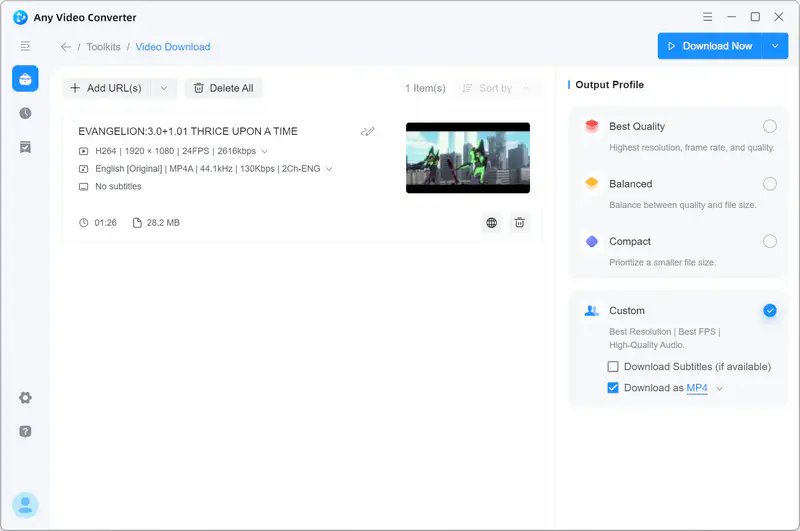
After parsing, you can either select the Best Quality to download movies for free, or Custom mode for more controls over the output settings, such as video formats, resolution, FPS, video bitrate, audio quality, subtitles and audio tracks.
Step 4: Start Downloading Movies from YouTube to MP4
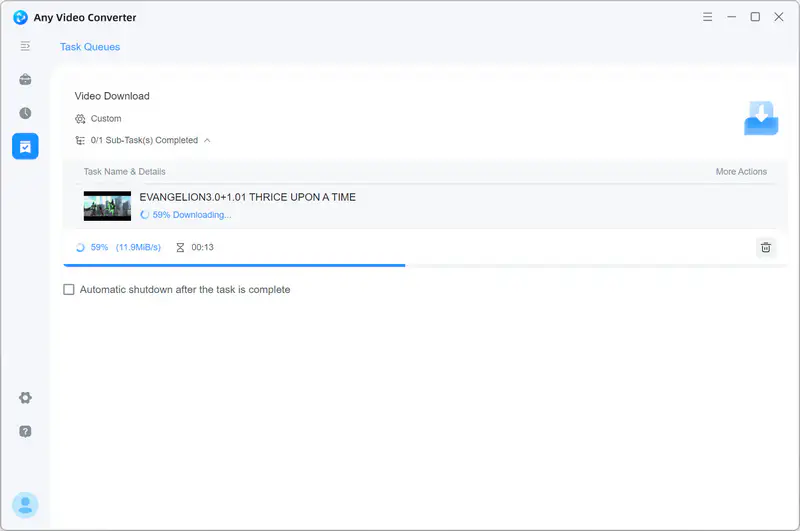
When the settings are ready, click Download Now to start downloading YouTube movies to MP4.
Once completed, go to the History tab to view the well-downloaded MP4 movies and watch them offline.
4.2 VidiCable
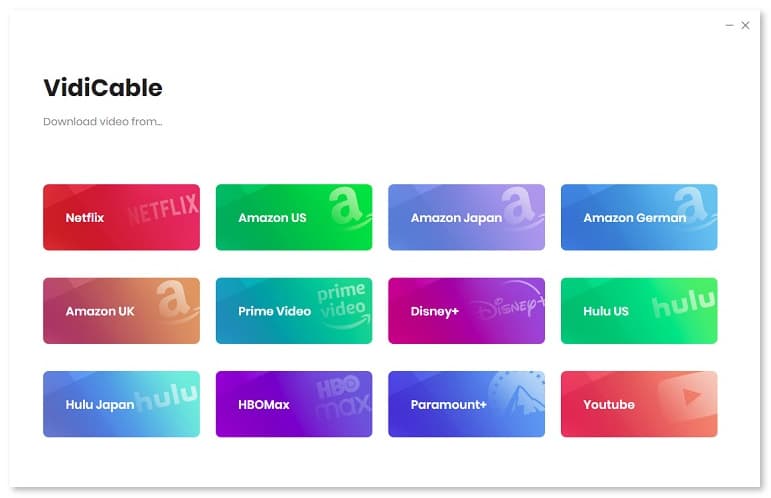
If you want to save your favorite movies from Netflix, Disney +, Amazon Prime, Apple TV, and 1000+ streaming platforms as MP4 for offline viewing, Vidicable is designed as an all-in-one solution. Instead of juggling different platforms or services, you can save your personal streaming video library locally and keep it more organized in one place.
Tutorial: How to Download Movies from Streaming Sites to MP4
Step 1: Choose a streaming service. Launch Vidicable and choose a streaming platform from the supported list.
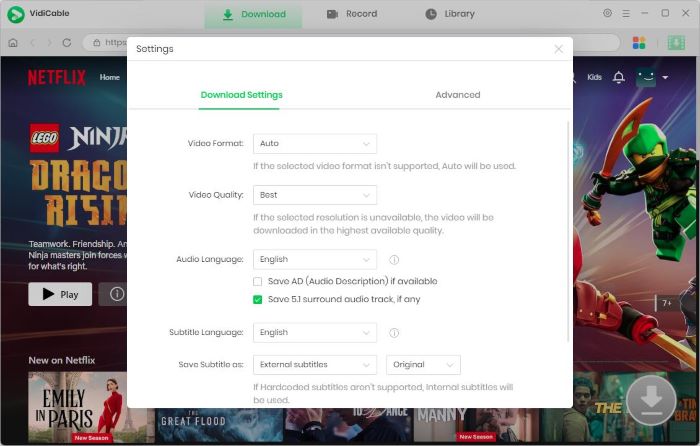
Step 2: Choose MP4 as the output format. Click the gear icon and set up the preferences, like format, quality, language, and output directory.
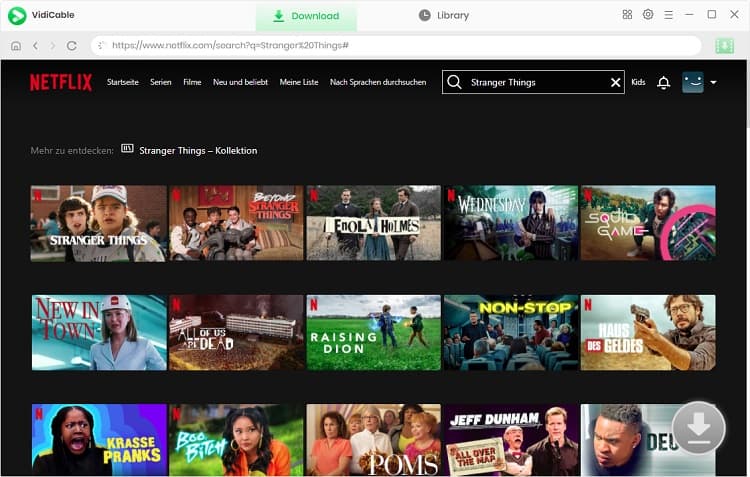
Step 3: Add a movie. Within the web browser, search for the movie you want to download and open it, then click the green download button at the lower-right.
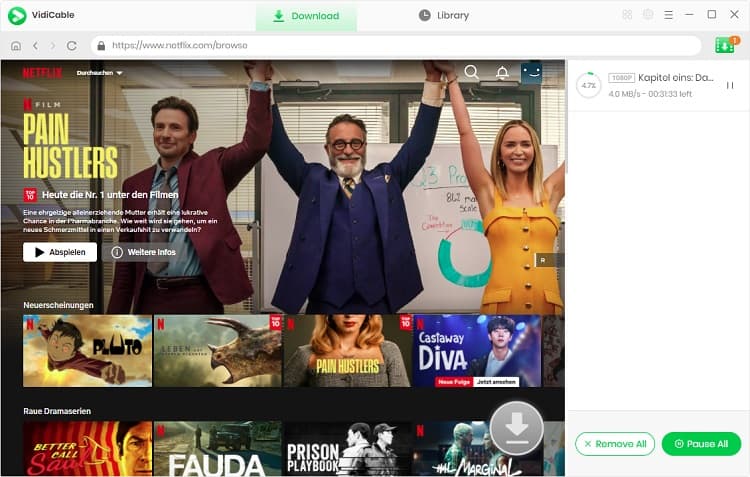
Step 4: Start downloading. Click the download button again to start downloading movies from streaming sites to MP4. After completing, you can watch the MP4 movies on your computer offline or transfer them to portable devices to enjoy on the go.
FAQs about MP4 Movie Downloads
Can I download Netflix movies as real MP4 files?
No, Netflix's official downloads can only be stored for offline watching within its app, rather than being downloaded as real MP4 files that can be stored and transferred to other devices. Avoid any behaviors that bypass DRM or other access controls. If you're going to use third-party tools to record or download Netflix movies as separate MP4 files, carefully review the Terms of Service and applicable laws.
Which legal sites offer true MP4 movie downloads?
As mentioned in part 2, only the public domain sites, like Internet Archive and Public Domain Movies, offer true and legal MP4 movie downloads, but not all movies on these sites are licensed and contain Creative Commons. So check the license information before downloading.
What is the difference between MP4 downloads and offline viewing?
MP4 downloads can guarantee that the downloaded movies can be transferred and viewed offline on other devices without any limitations. Offline viewing inside streaming apps is limited to the current device only, not applicable for transferring and playback on other devices.
Final Thoughts
True MP4 movie download sites are actually quite limited. In this guide, I walked through the legal platforms that do offer true MP4 downloads, as well as a few practical alternatives for offline viewing.
For users who want more true MP4 movie downloads, Any Video Converter and Vidicable can be supplementary ways to extend and manage their local library in an organized and flexible way.

Charlie Campbell | Content Writer
Charlie Campbell is an experienced technical documentation writer with a background in software development and a passion for emerging AI technologies. Dedicated to helping readers stay ahead in the fast-paced digital landscape, he combines technical expertise with clear communication to simplify complex topics and keep audiences informed on the latest advancements.